Choose the task
Name one payroll exception, employee request, billing blocker or absence-cover decision. Identify the plan, input records and authorised reviewer.

EXPLORE AT YOUR OWN PACE
Explore Emplinx’s workforce and employee mobile screens, then follow payroll, work-to-cash and continuity examples from the first fact to the evidence of what changed.
Product walkthrough · sample data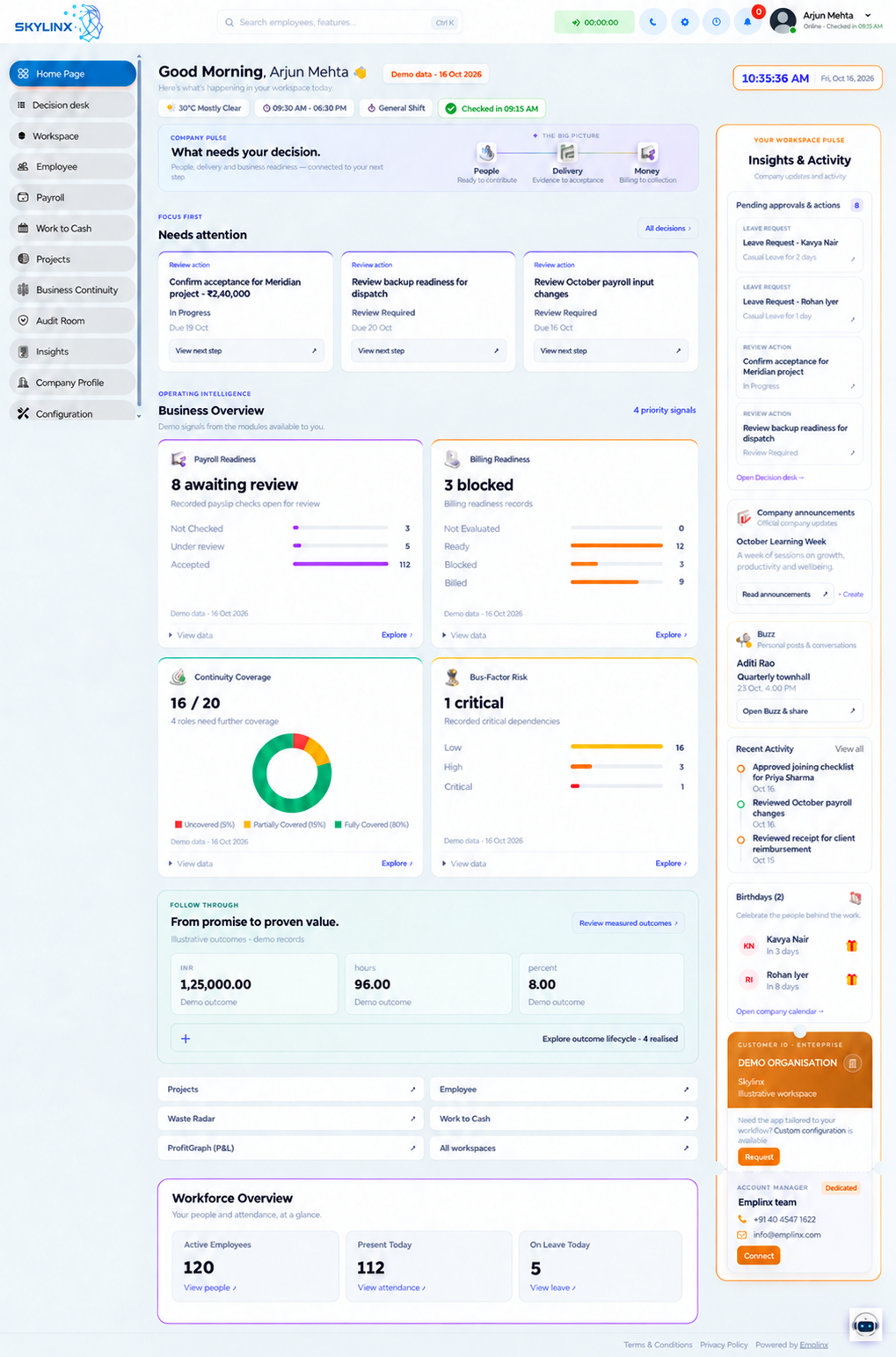
Product screens with illustrative records, not customer results. Your quotation confirms enabled modules, supported web or mobile clients and devices; a separate native app is not implied.
INSIDE THE PRODUCT
Explore leadership, HR, finance and employee dashboards, then the connected module workspace. Follow the same illustrative company across roles, alongside the existing employee mobile-access screen.
Product screen references use illustrative records. Your plan and configured permissions define the enabled modules.
The website uses illustrative records. Use this checklist to request a demonstration of your selected workflow and distinguish a useful example from verified acceptance.
Name one payroll exception, employee request, billing blocker or absence-cover decision. Identify the plan, input records and authorised reviewer.
Ask to see a correction or rejected input as well as the successful path. Check the resulting record, approval history and any system handoff.
Agree the expected result, test date, product configuration, reviewer and remaining issues. Sign-off belongs to your authorised team.
Ask for the applicable security, restore, export and service evidence. Each item should identify its date, deployment, reviewer and any limits.
No customer outcome, certification or deployment acceptance is established by the illustrative screens on this website. Approved customer references and deployment-specific reports are supplied only where available and permitted.
ONE CONNECTED STORY
Follow one milestone through the missing connection.
Completed work is blocked by missing acceptance.
Approved evidence enables the finance handoff. Invoice issuance and receipt are confirmed by their respective sources.
A project milestone is marked complete. The delivery record and work owner are visible.
 Emplinx check
The milestone is complete. Client acceptance is still needed before the finance handoff.
Emplinx product walkthrough · sample data
Accounting issues invoices. Trusted payment sources confirm receipt. Integrations and source access must be agreed.
THE PROMISE, MADE TANGIBLE
From the first source to the final evidence, see how Emplinx turns scattered information into accountable work.
One platform. One accountable journey.Bring the relevant workforce, work and finance records into the same context.
Give the right person visibility, responsibility and the authority to review.
Route the work through the right review, approval and follow-through.
Keep the decision, its supporting record and the resulting outcome linked.
Bring one recurring problem. We’ll explore the relevant workflow, the product screens and the plan that fits your business.